Database sharding amalda: PostgreSQL va Node.js bilan note app
Assalamu Alaykum bugun biz note taker app bilan sharding qilishni o'rganamiz. Buni boshlashdan oldinsharding va consistent hashing haqida tushunchaga ega bo'lish uchun ushbu maqolalarimni tavsiya qilaman.
Tayyormisiz unda boshladik.
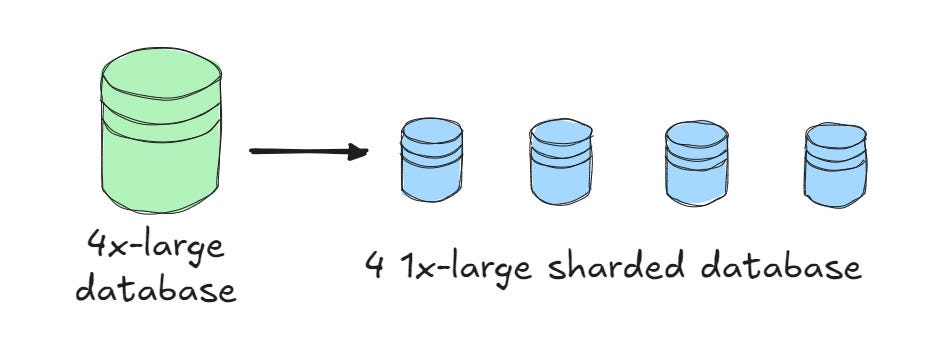
Postgres serverlarni ishga tushuramiz.
1-bo'lib Docker yordamida postgres serverlarni ishga tushuramiz.
docker run -d --name shard1 -e POSTGRES_USER=user -e POSTGRES_PASSWORD=pass -e POSTGRES_DB=shard1 -p 5433:5432 postgres:16
docker run -d --name shard2 -e POSTGRES_USER=user -e POSTGRES_PASSWORD=pass -e POSTGRES_DB=shard2 -p 5434:5432 postgres:16
docker run -d --name shard3 -e POSTGRES_USER=user -e POSTGRES_PASSWORD=pass -e POSTGRES_DB=shard3 -p 5435:5432 postgres:16
Bu bizga 3 ta postgres serveri vazifasini bajarish uchun 3 ta docker container yoqishga yordam beradi. Endi proyektni boshlaymiz.
Serverni sozlash
Ushbu buyruq orqali oddiy js proekt yaratib olamiz va pg kutubxonasini o'rnatamiz (Postgresga bog'lanish uchun).
mkdir short-notes-app && cd short-notes-app
npm init -y
npm install pg
Endi bizni shard databaza ma'lumotlari saqlanadigan dbfolder ochib unga config ma'lumotlarini kiritamiz.
const { Client } = require("pg");
const SHARDS = [
  {
    id: "shard-1",
    client: new Client({
      connectionString: "postgres://user:pass@localhost:5433/shard1",
    }),
  },
  {
    id: "shard-2",
    client: new Client({
      connectionString: "postgres://user:pass@localhost:5434/shard2",
    }),
  },
  {
    id: "shard-3",
    client: new Client({
      connectionString: "postgres://user:pass@localhost:5435/shard3",
    }),
  },
];
Endi oddiy bir server yaratib olamiz (Nodejsda) .
const http = require('http');
const server = http.createServer((req, res) => {
  res.writeHead(200);
  res.end('Server running');
});
server.listen(3000, () => console.log('Server running on http://localhost:3000'));
Xo'sh bizda nodejs server va postgres serverlar bor endi server yonish paytida databazada jadval bor yoki yo'qligini yo'q bo'lsa o'sha jadvalni yaratadigan funksiya yozamiz. (Productionda tavsiya qilinmaydi).
const { Client } = require("pg");
const SHARDS = [
  {
    id: "shard-1",
    client: new Client({
      connectionString: "postgres://user:pass@localhost:5433/shard1",
    }),
  },
  {
    id: "shard-2",
    client: new Client({
      connectionString: "postgres://user:pass@localhost:5434/shard2",
    }),
  },
  {
    id: "shard-3",
    client: new Client({
      connectionString: "postgres://user:pass@localhost:5435/shard3",
    }),
  },
];
async function initShards() {
  for (const shard of SHARDS) {
    await shard.client.connect();
    await shard.client.query(`
      CREATE TABLE IF NOT EXISTS notes (
        id VARCHAR PRIMARY KEY,
        title TEXT NOT NULL,
        content TEXT NOT NULL,
        created_at TIMESTAMP DEFAULT NOW()
      )
    `);
    console.log(`Initialized for ${shard.id}`);
  }
}
module.exports = { SHARDS, initShards };
APIlar uchun handler yaratish
Endi notelarni yaratish va ularni qabul qilishga yordam beruvchi handler yaratamiz. (Shardingsiz).
const { SHARDS } = require('./db/shard-config');
async function createNote(req, res, body) {
  const { title, content } = JSON.parse(body);
  const id = Math.random().toString(36).substring(2, 8);
  const shard = SHARDS[0];
  await shard.client.query(
    "INSERT INTO notes (id, title, content) VALUES ($1, $2, $3)",
    [id, title, content]
  );
  res.writeHead(201, { "Content-Type": "application/json" });
  res.end(JSON.stringify({ id }));
}
async function getNote(req, res, id) {
  const shard = SHARDS[0];
  const result = await shard.client.query("SELECT * FROM notes WHERE id = $1", [
    id,
  ]);
  if (result.rows.length === 0) {
    res.writeHead(404);
    res.end("Not found");
    return;
  }
  res.writeHead(200, { "Content-Type": "application/json" });
  res.end(JSON.stringify(result.rows[0]));
}
module.exports = { createNote, getNote };
Va uni server faylga ulaymiz :
const http = require('http');
const { createNote, getNote } = require('./note-handler');
const { initShards } = require('./db/shard-config');
(async () => {
  await initShards();
  const server = http.createServer((req, res) => {
    if (req.method === 'POST' && req.url === '/note') {
      let body = '';
      req.on('data', chunk => body += chunk);
      req.on('end', () => createNote(req, res, body));
    } else if (req.method === 'GET' && req.url.startsWith('/note/')) {
      const id = req.url.split('/')[2];
      getNote(req, res, id);
    } else {
      res.writeHead(404);
      res.end('Not found');
    }
  });
  server.listen(3000, () => console.log('Server running on http://localhost:3000'));
})();
ID generatsiyasi uchun helper funksiya
Id generatsiya qiladigan helper funksiya yozamiz(bu notelarni idlarni generatsiya qilish uchun kerak) .
function generateId(length = 6) {
  const chars = 'abcdefghijklmnopqrstuvwxyz0123456789';
  let id = '';
  for (let i = 0; i < length; i++) {
    id += chars[Math.floor(Math.random() * chars.length)];
  }
  return id;
}
module.exports = { generateId };
Serverni tekshirish
Bizda bir databazaga bog'lanib unda amallar bajara oladigan server tayyor, uni tekshirib ko'ramiz.
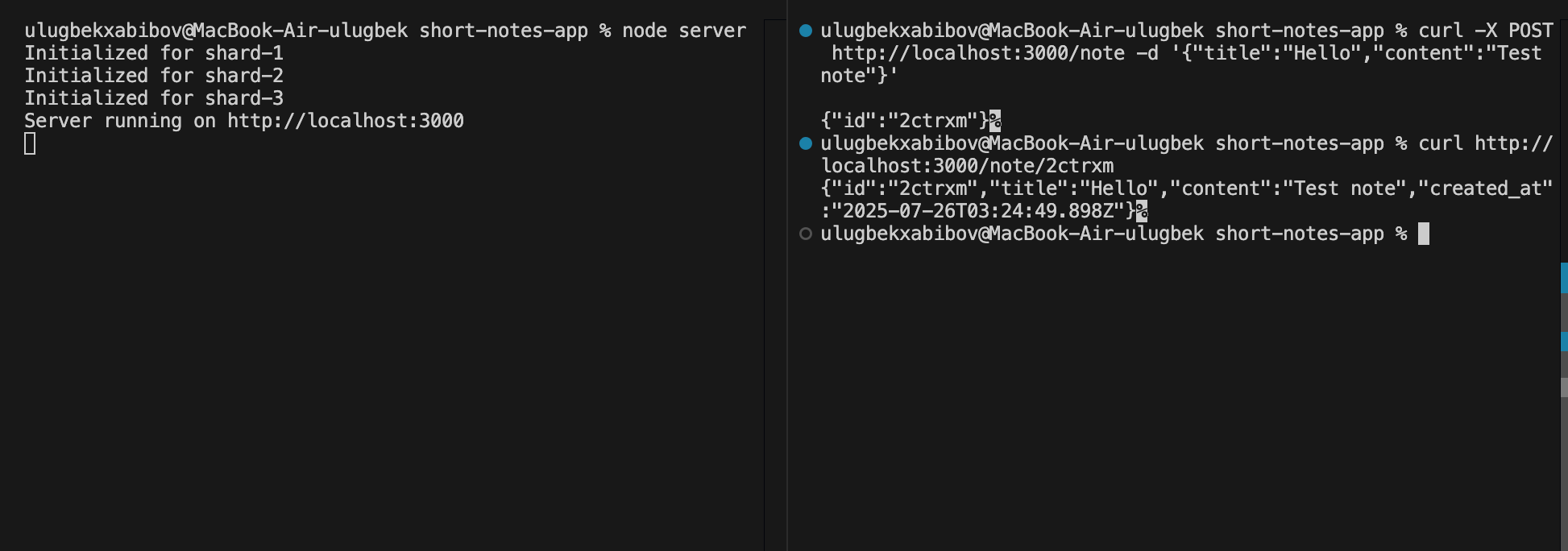
Ko'rib turganingizdek bizda server ishlamoqda. Endi uni sharding qilsak bo'ladi .
Sharding
Endi har bir kelayotgan noteni Idsiga qarab uni qaysi shardaga jo'natishni aniqlaymiz bunda bizga consistent hashing kerak bo'ladi. Men oldin o'zim yozgan consistent hashing implimentatsiyasini ishlataman.
const ConsistentHashing = require("../../consistent-hashing/consistent-hashing");
const { SHARDS } = require("./db/shard-config");
const { generateId } = require("./helper");
const hashRing = new ConsistentHashing(100);
SHARDS.forEach((s) => hashRing.addNode(s.id));
function getShardById(id) {
  const shardId = hashRing.getNode(id);
  return SHARDS.find((s) => s.id === shardId);
}
async function createNote(req, res, body) {
  const { title, content } = JSON.parse(body);
  const id = generateId();
  const shard = getShardById(id);
  await shard.client.query(
    "INSERT INTO notes (id, title, content) VALUES ($1, $2, $3)",
    [id, title, content]
  );
  res.writeHead(201, { "Content-Type": "application/json" });
  res.end(JSON.stringify({ id }));
}
async function getNote(req, res, id) {
  const shard = getShardById(id);
  const result = await shard.client.query("SELECT * FROM notes WHERE id = $1", [
    id,
  ]);
  if (result.rows.length === 0) {
    res.writeHead(404);
    res.end("Not found");
    return;
  }
  res.writeHead(200, { "Content-Type": "application/json" });
  res.end(JSON.stringify(result.rows[0]));
}
module.exports = { createNote, getNote };
Handlerlarga hashRing qo'shildi . Endi bularni tekshirish qoldi.
Shardingni tekshirish.
Shardingni tekshirish uchun load test yani 1000 ta request yuboramiz. bu uchun funksiya yozdim :
const http = require("http");
function createNote(i) {
  return new Promise((resolve) => {
    const data = JSON.stringify({
      title: `Note ${i}`,
      content: `Content ${i}`,
    });
    const options = {
      hostname: "localhost",
      port: 3000,
      path: "/note",
      method: "POST",
      headers: {
        "Content-Type": "application/json",
        "Content-Length": data.length,
      },
    };
    const req = http.request(options, (res) => {
      let body = "";
      res.on("data", (chunk) => (body += chunk));
      res.on("end", () => resolve(JSON.parse(body)));
    });
    req.write(data);
    req.end();
  });
}
(async () => {
  const total = 1000;
  console.log(`Sending ${total} requests to /note...`);
  for (let i = 0; i < total; i++) {
    await createNote(i);
    if (i % 100 === 0) console.log(`${i} done`);
  }
  console.log("All requests done! Total requests sent:", total);
})();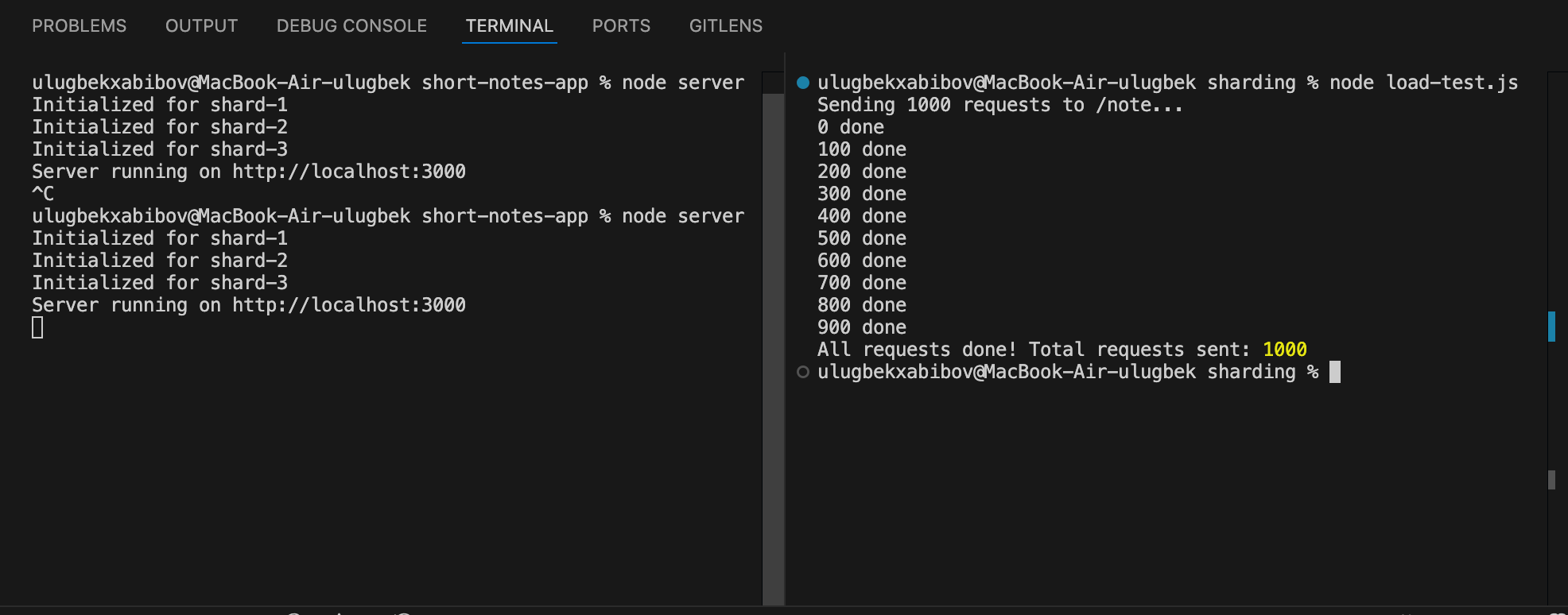
Hamma ma'lumotlar yuklandi endi databazadagi notelar sonini tekshirib ko'ramiz.
Databazadagi notelar sonini tekshirish uchun buyruq :
docker exec -it shard1 psql -U user -d shard1 -c "SELECT COUNT(*) FROM notes;"
docker exec -it shard2 psql -U user -d shard2 -c "SELECT COUNT(*) FROM notes;"
docker exec -it shard3 psql -U user -d shard3 -c "SELECT COUNT(*) FROM notes;"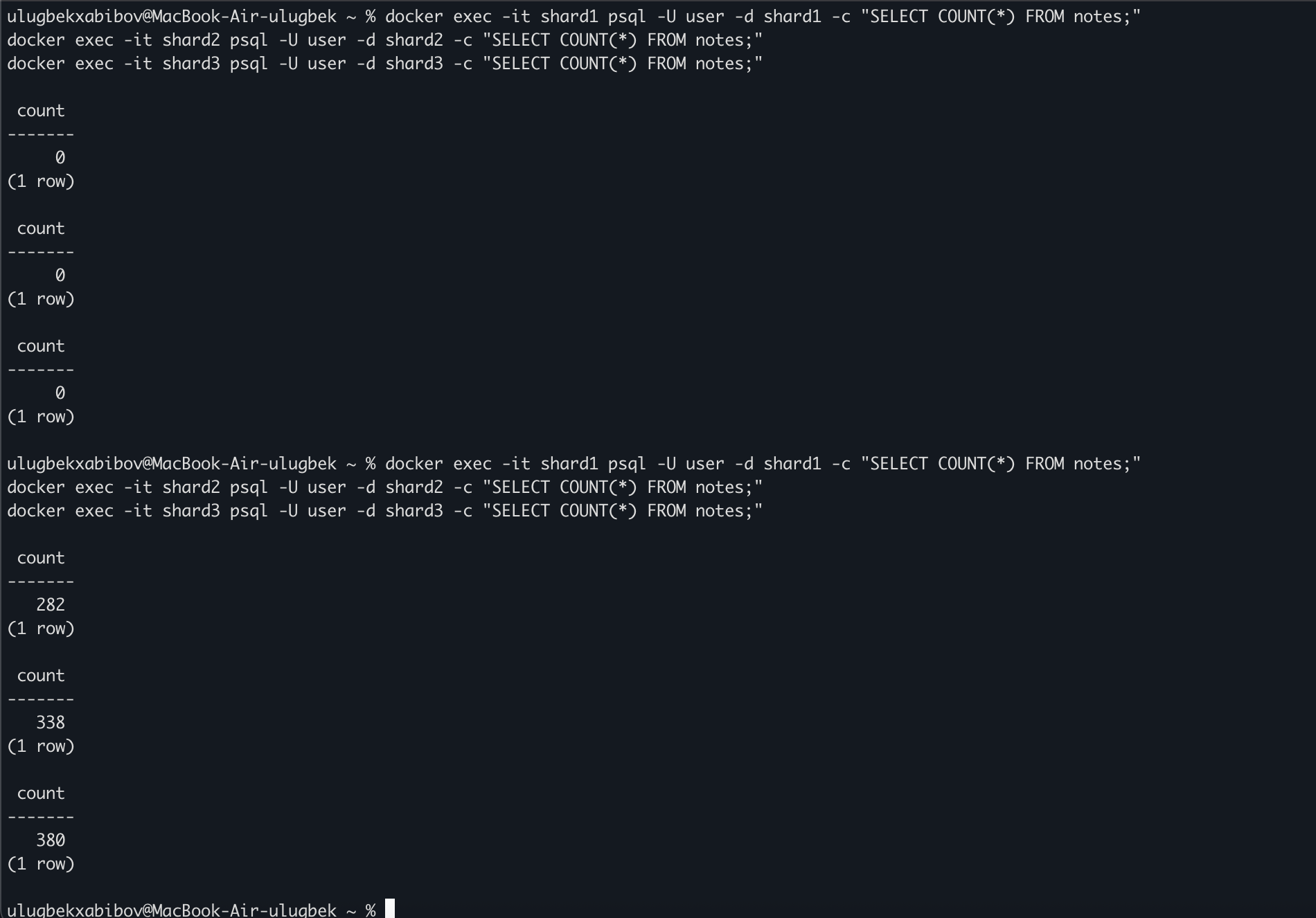
Ko'rib turganingizdek notelar databazalar aro taqsimlangan(ammo teng emas bunga juda kam so'rov yuborganimiz sababli).
Rebalancing
Endi bir node o'chib qolganda ma'lumotlar rebalance bo'lishini ko'ramiz.
Bu uchun ushbu o'zgarishlarni qilishimiz kerak. note-handler.js faylda remove node funksiyasi :
async function removeNode(req, res, body) {
  const { nodeId } = JSON.parse(body);
  if (!nodeId) {
    res.writeHead(400);
    res.end(JSON.stringify({ error: "nodeId is required" }));
    return;
  }
  const nodeIndex = SHARDS.findIndex((s) => s.id === nodeId);
  if (nodeIndex === -1) {
    res.writeHead(404);
    res.end(JSON.stringify({ error: "Node not found" }));
    return;
  }
  const removedShard = SHARDS[nodeIndex];
  hashRing.removeNode(nodeId);
  SHARDS.splice(nodeIndex, 1);
  const { rows } = await removedShard.client.query("SELECT * FROM notes");
  let moved = 0;
  for (const note of rows) {
    const correctShardId = hashRing.getNode(note.id);
    const targetShard = SHARDS.find((s) => s.id === correctShardId);
    await targetShard.client.query(
      "INSERT INTO notes (id, title, content, created_at) VALUES ($1, $2, $3, $4) ON CONFLICT (id) DO NOTHING",
      [note.id, note.title, note.content, note.created_at]
    );
    moved++;
  }
  await removedShard.client.query("DELETE FROM notes");
  await removedShard.client.end();
  res.writeHead(200, { "Content-Type": "application/json" });
  res.end(JSON.stringify({ message: `Node ${nodeId} removed`, moved }));
}
server.js da esa uni APIga bog'laymiz:
else if (req.method === "POST" && req.url === "/debug/remove-node") {
  let body = "";
  req.on("data", (chunk) => (body += chunk));
  req.on("end", () => removeNode(req, res, body));
}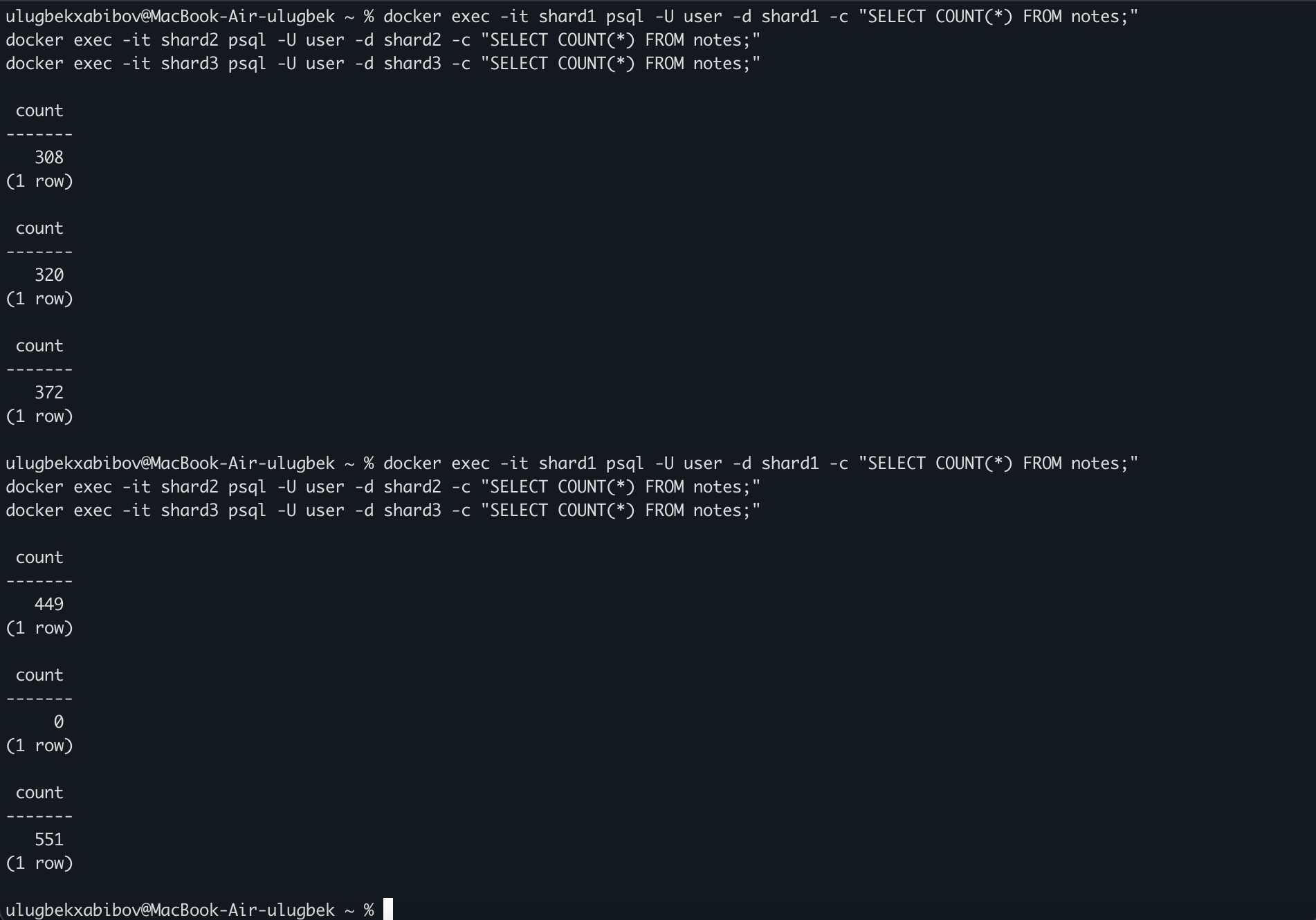
Shard-2 databazadagi ma'lumotlar barchasi boshqa shardlarga o'tkazildi.
Hamma kodlar ushbu repoda ==>Link
Xulosa
Xulosa qilib aytadigan bo'lsak, write load ko'p bo'lganda hamma usul qo'llangandan keyin sharding qilish tavsiya etiladi. Hozirgi misolimiz juda oddiy u faqtgina 2 ta API dan iborat hamda oldinda kiritilgan nodelar bo'yicha ishlamoqda , yangi node avtomatik qo'shilib yoki olib tashlanishi , rebalancing muammolari hali ham bor va bu juda dasturga ancha murakkablik olib keladi.